
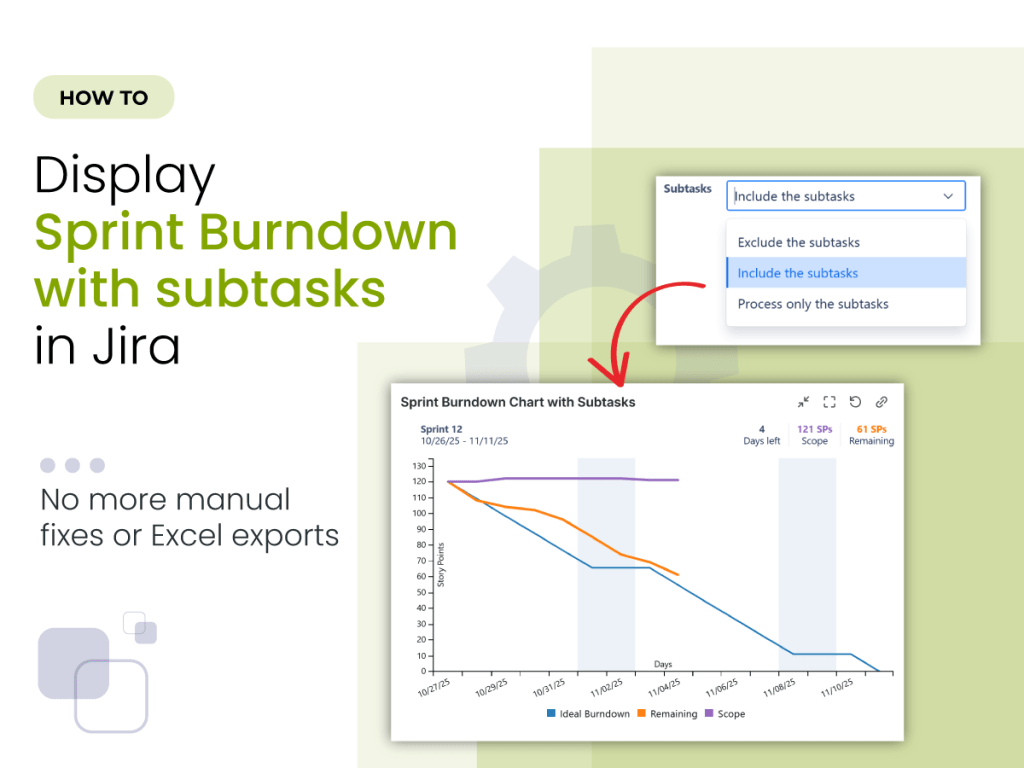
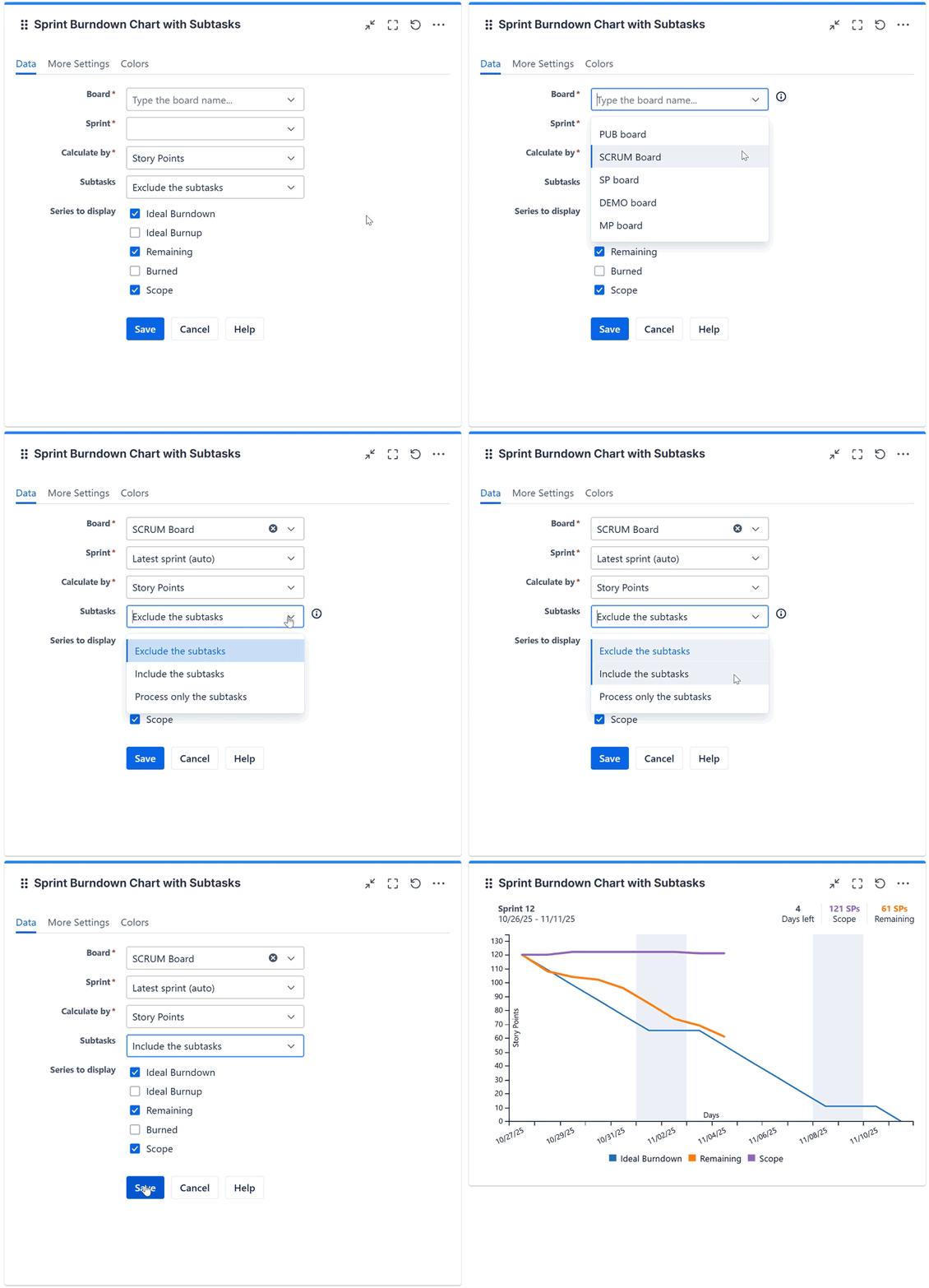
In this article, you’ll learn how to create a Sprint Burndown (or Burnup) chart that includes subtasks using Great Gadgets app for Jira or Confluence. No more Excel exports, no manual tracking – just a clear, real-time view of your sprint progress with subtasks included.
The Challenge: Jira’s Native Burndown Chart Doesn’t Include Subtasks
For teams that break work into subtasks and estimate them, Jira’s built-in sprint burndown chart often lacks the detail needed for accurate, day-to-day tracking.
The core issue? Jira’s default burndown chart and gadget ignore subtasks entirely — so the chart only reflects progress when parent stories are completed.
If you’ve ever sat in a sprint review wondering why the burndown line barely moved — despite dozens of subtasks being completed — you’re definitely not alone.
The solution: The Sprint Burndown Burnup Chart Gadget Offered by Great Gadgets
Luckily, there’s a better way to track and visualize sprint progress in real time within Jira—without resorting to Excel or manual work.
Great Gadgets app offers a Sprint Burndown Burnup Chart gadget that gives you accurate, real-time insights into your sprint progress.
Because we know every team operates differently, we build each gadget to be highly configurable. With the Sprint Burndown Burnup Chart gadget you can:
- Include subtasks along with their parent items, or track only the subtasks;
- Use different estimation methods to reflect your team’s unique workflow;
- Visualize sprint progress clearly and reliably, in real-time;
- Configure it as a burnup chart (which Jira doesn’t offer natively).
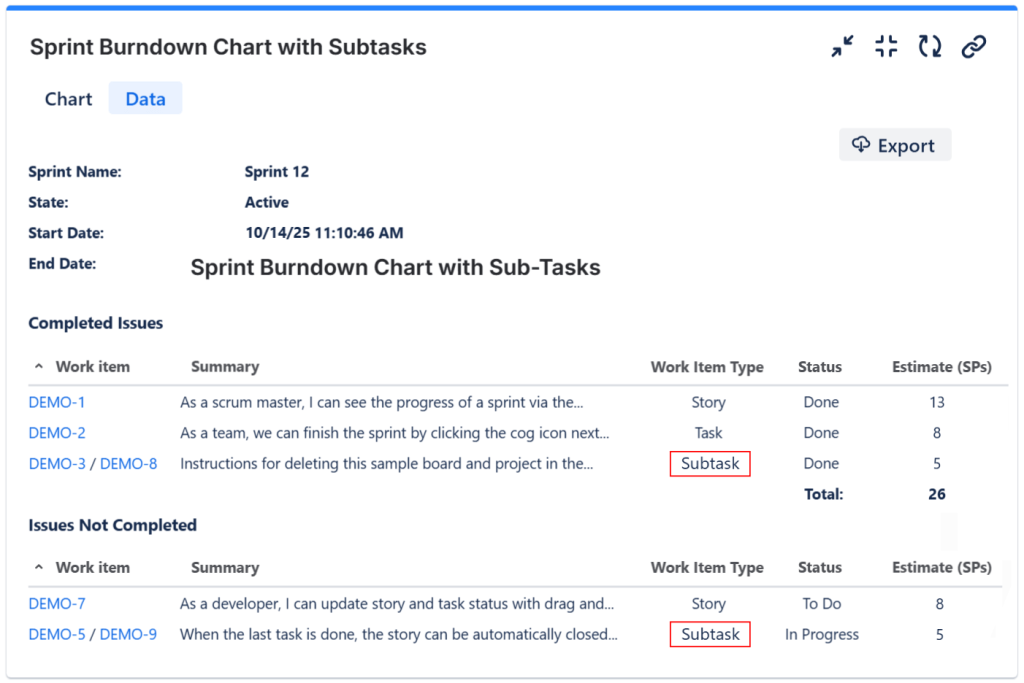
💡Tip: The gadget can also display a detailed sprint report with subtasks included, which you can easily export to CSV for analysis or sharing.
👉 Watch the full video tutorial where we show how to create a Sprint Burndown Chart that includes subtasks and reflects the real progress of your sprint.
Why It Matters
With subtasks included, your burndown chart becomes a true reflection of sprint progress. Teams get better visibility, Scrum Masters run smoother retrospectives, and no one wastes time explaining why charts look “stuck.”
Do other app gadgets offer support for subtasks?
Yes! Great Gadgets offers many other gadgets that can include the subtasks in their calculations:
- Team Velocity gadget
- Release Burndown Burnup Chart gadget
- Cumulative Flow Diagram (CFD) gadget
- Control Chart gadget and more.
You now have all the tools required to build a powerful and insightful dashboard — with full support for subtasks.
👉 And if you’d like to test it out, Great Gadgets is free for 30 days on the Atlassian Marketplace.
 StonikByte
Leave a comment