
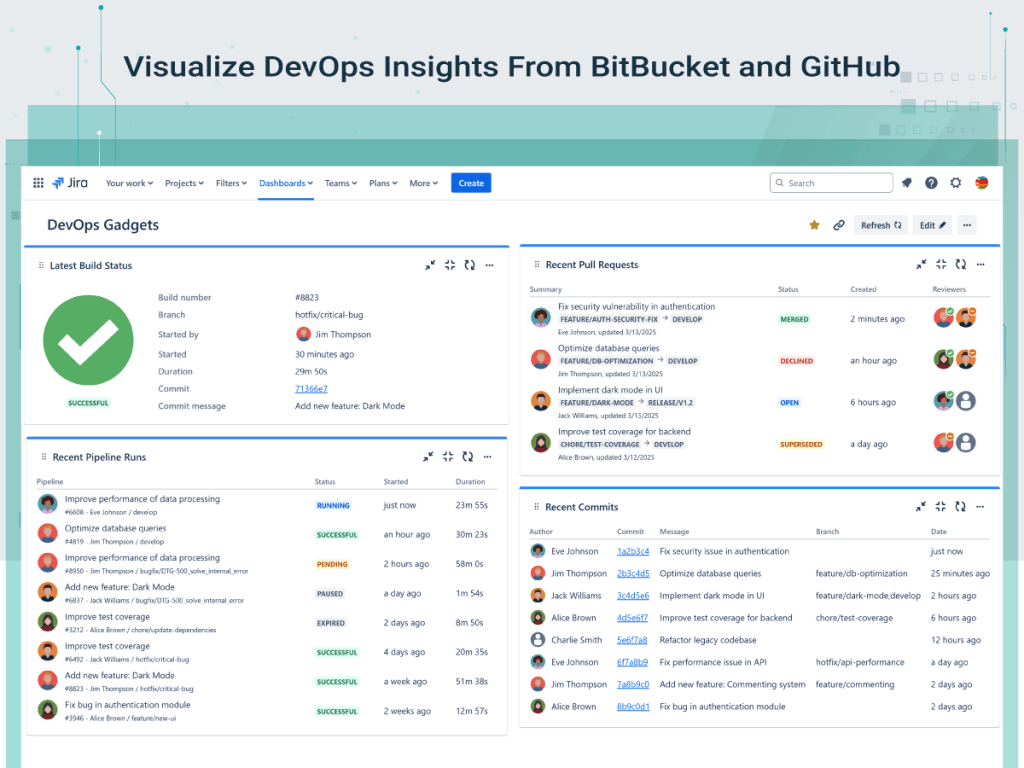
In today’s fast-paced development environments, DevOps practices play an essential role in helping teams deliver better software, faster. As teams adopt DevOps practices to build, test, and ship faster, having clear, real-time insights into that flow becomes critical for everyone, not just developers. But while code is being written, built, tested, and deployed at speed, key insights into that process often remain stored in separate tools.
What if you could bring those insights directly into Jira? Jira is your team’s single source of truth. It’s where you plan sprints, assign work, and track progress. Imagine having DevOps metrics next to your Epics and Stories.
The Need for DevOps Visibility in Jira
When done right, DevOps leads to:
- Faster releases
- Higher quality
- Fewer failures in production
- Happier teams and customers
But success in DevOps depends on visibility. If your team doesn’t have a clear picture of what’s being built, how it’s performing, and where the bottlenecks are — you’re flying blind.
Most DevOps data lives in places like Bitbucket or GitHub that only a handful of team members ever check. Jira is where teams plan and track their work. It’s the perfect place to also display DevOps metrics. However, Jira dashboards don’t natively offer deep integrations with such tools. But what if you could bring those insights directly into Jira dashboards – the place where your team already tracks work?
With DevOps Gadgets for Jira, our newest app at StonikByte, now you can.
What is DevOps Gadgets for Jira?
DevOps Gadgets for Jira is a powerful Jira app developed by StonikByte, that brings key development insights from your Bitbucket Cloud or GitHub repositories directly to your Jira dashboards.

It provides essential dashboard gadgets to help teams stay on top of their DevOps processes, helping to enhance transparency, streamline workflows, and keep development teams aligned.
Latest Build Status Gadget

The Latest Build Status gadget displays the status of the latest build in a specified source code repository.
Recent Pipelines Runs Gadget
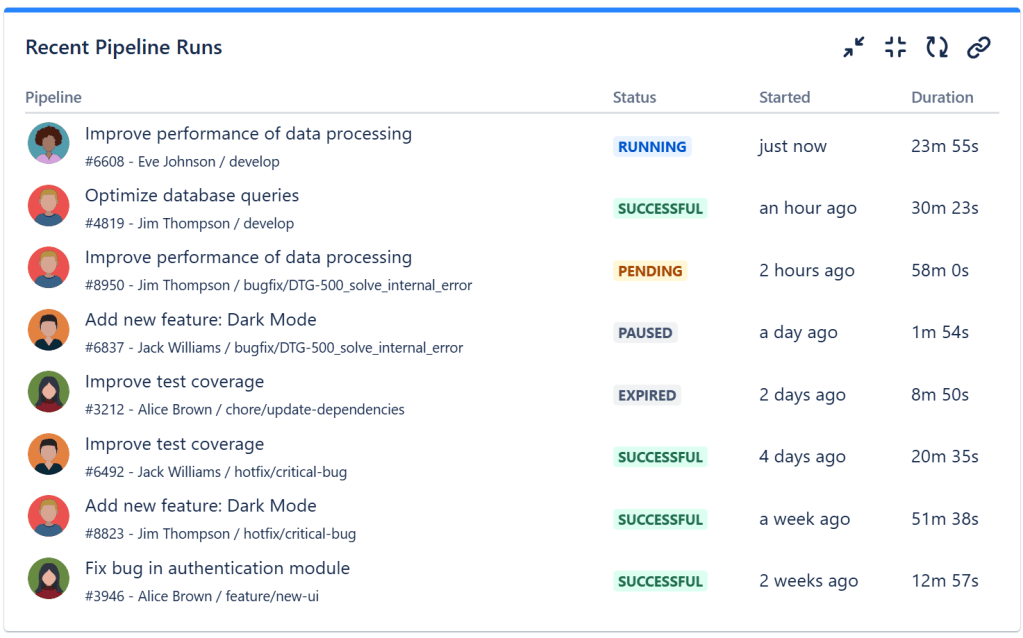
The Recent Pipelines Runs gadget displays the recent pipelines runs and helps you track ongoing and completed CI/CD pipelines with real time status updates.
Recent Pull Requests Gadget
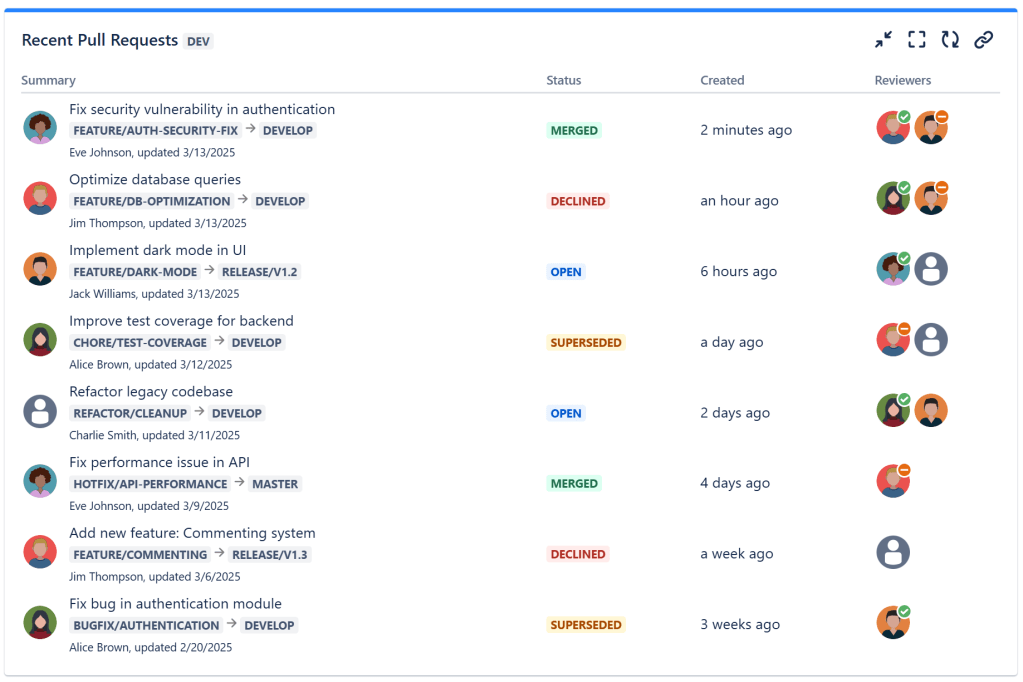
The Recent Pull Requests gadget displays the most recent pull requests from a specified source code repository, helping you to keep an eye on open, merged and closed pull requests.
Recent Commits Gadget
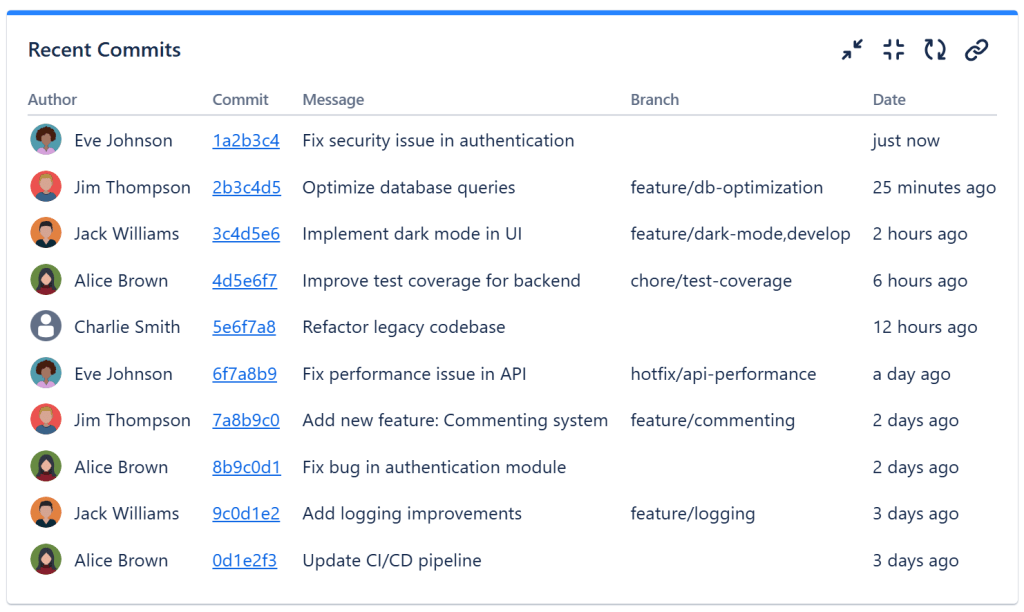
The Recent Commits gadget displays the latest commits, including author details and commit messages.
Tip: You can mix all these gadgets with others from our Great Gadgets for Jira app to create complete project dashboards.
Conclusion
DevOps is all about speed, reliability, and continuous improvement — but without visibility, those goals are hard to reach. By bringing your DevOps metrics into Jira with DevOps Gadgets for Jira, you empower everyone to stay informed, spot issues early, and make better decisions.
About StonikByte
StonikByte is a Gold Marketplace Partner and the author of various apps (add-ons) for Atlassian Jira, which includes:
- Great Gadgets for Jira – a gadgets pack for tracking projects in an agile manner. Includes gadgets like sprint and release burndown / burnup charts, team velocity, issue field sum-up, cycle time, work breakdown structure (WBS) and more.
- Documents for Jira – a document management system for Jira where you can store and manage your project-related files.
- Project Team for Jira – an app that makes visible the project teams, allows extending the user profiles by adding custom fields, generates and displays org-charts.
- DevOps Gadgets for Jira – an app that brings key development insights from your Bitbucket Cloud and GitHub to your Jira dashboards. It provides essential gadgets to help teams stay on top of their DevOps processes.
To find more about StonikByte, please visit https://stonikbyte.com/.
 StonikByte
Leave a comment